In the WordPress menu, you’ll find ICF Settings on the left side. Here, you can configure key settings for your ICF Website.
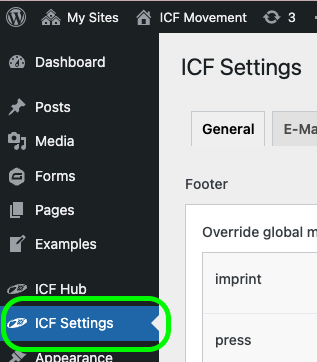
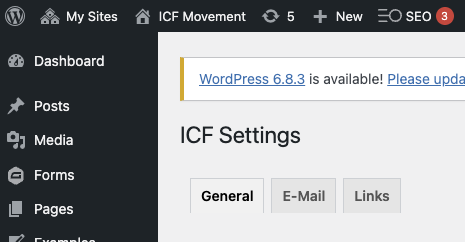
The settings are divided into three tabs 

The global footer contains predefined pages, but you can adapt the link destinations:
Imprint
Press
Privacy


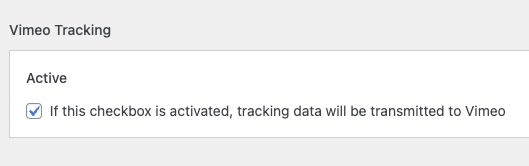
By default, embedded Vimeo videos do not transmit analytics data. If you want to analyze views, you can enable this by setting the toggle to “Active”.

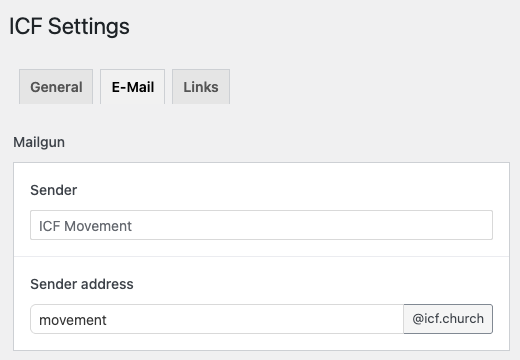
Here you define the sender name and sender email address for all emails sent from the website (forms, user invites, password resets, etc.).
Recommendation for sender name: Your ICF name
Default sender address: youricf@icf.church
This mail address structure is intentionally set, as our websites use the official @icf.church mail server. That way, emails are verified and deliverability is much higher.
You still want to use your own mail server? Contact us!
REQUEST
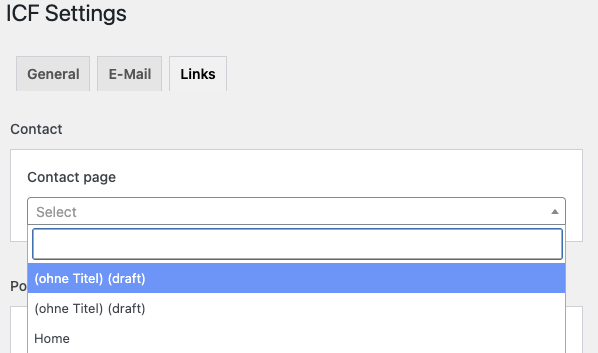
Define where the contact button on your website should point. We recommend an official contact page.
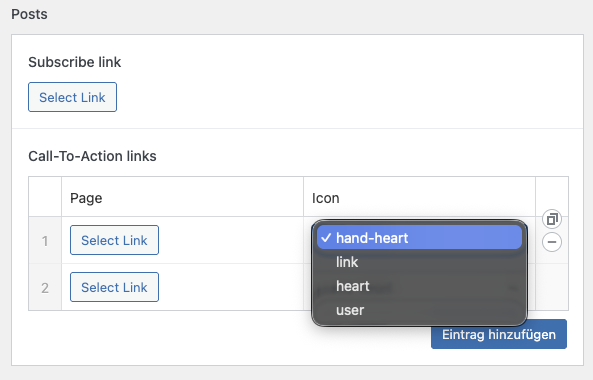
If you are using the Blog feature, you have here a few settings for links.
Subscribe Link: The blog has a subscribe button. Here you can define the link.
Call-to-Action Links: Below each blog post, there are 2 call-to-action buttons (more possible with the plus icon). Define link & icon
Available icons: hand-heart, link, heart, user
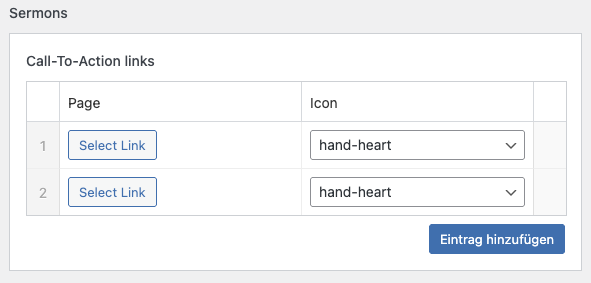
Each sermon page has 2 call-to-action buttons by default (more possible with the plus icon). Define link & icon
Yes – we know this is a bit hidden for now  To add links for another website language, you must first switch the WordPress language at the top.

(Then you can assign the link & icon for the selected language)