We use the ICF Hub to manage and store central data. You may have wondered: How does this data actually show up on the ICF Website? → That’s what Widgets are for!
ICF Hub 🖥️
The new central data management platform
The ICF Hub 💻
How the ICF Hub is connected to the website

Think of widgets as data containers. You create a container and define which data it should include.
Example:
You create a Sermon Widget
Define which sermons it should include
Save it in the Hub
These widgets act as the connection between the ICF Hub and your ICF Website.

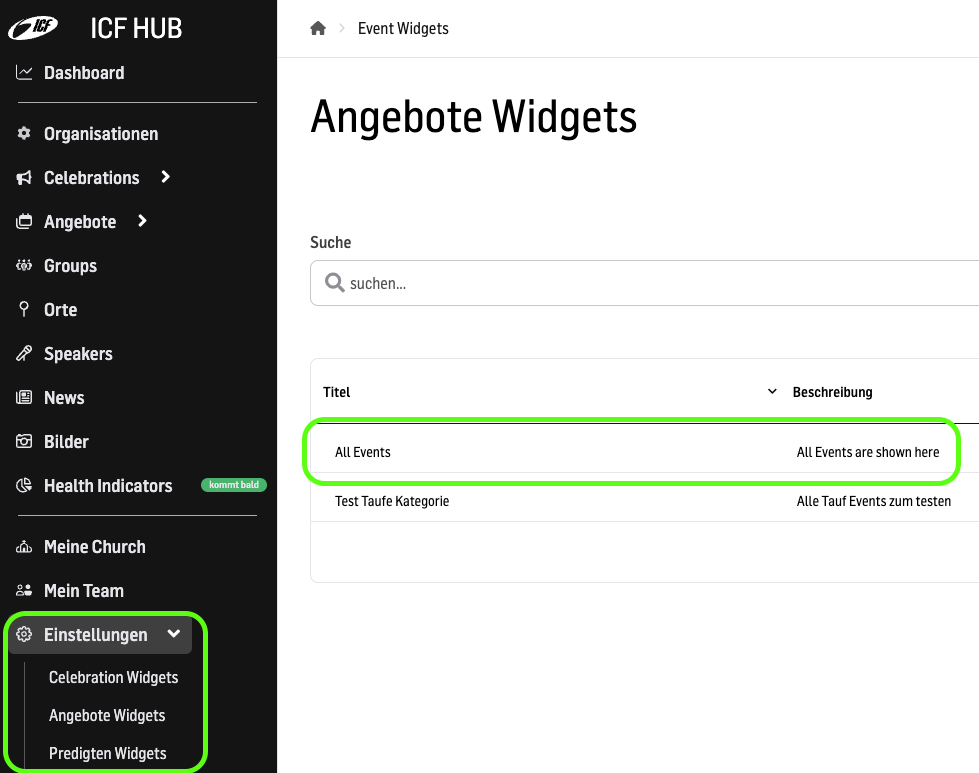
Widgets are created in the ICF Hub, under the Settings section.


On your website, simply add the respective widget as a content element (block).
Example:
Make sure you have created a Sermon Widget.
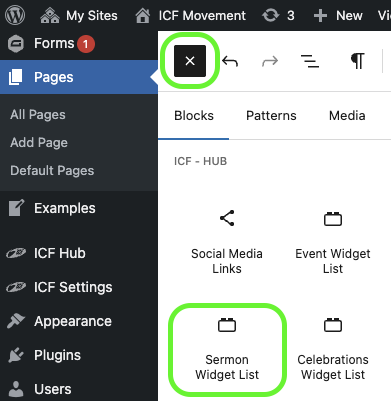
In the content elements (blocks), go to “ICF – Hub” and select “Sermon Widget List”.
Add it to your page.
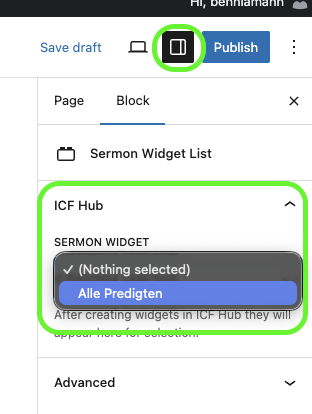
In the sidebar, you can select the corresponding widget.
You can add a Sermon Widget, Event Widget, or Celebration Widget – and the content will appear automatically on your page.