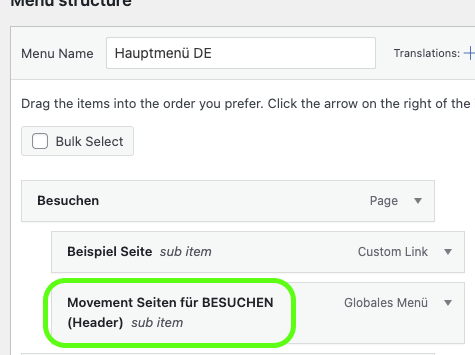
We have explained all details about the main navigation in our article. Please make sure you read it before this one 
Local Header Main Menu 👋
Requirements & best practices for the main navigtaion

You are free to add your own links or sub-menu items under each main menu item.  There is no limit on that - Just check, what looks good.
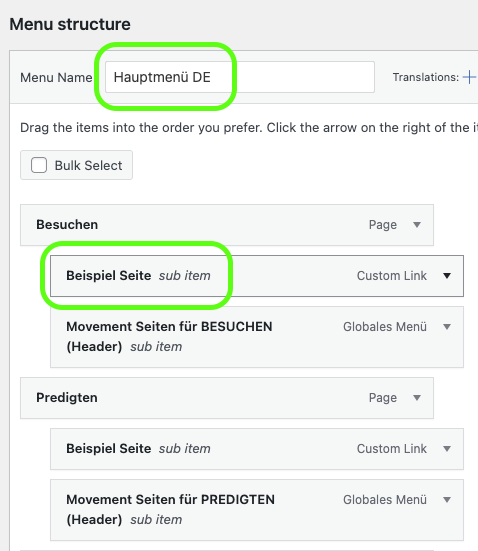
Our design is intentionally built so that you don't add too many menu items and overload it.

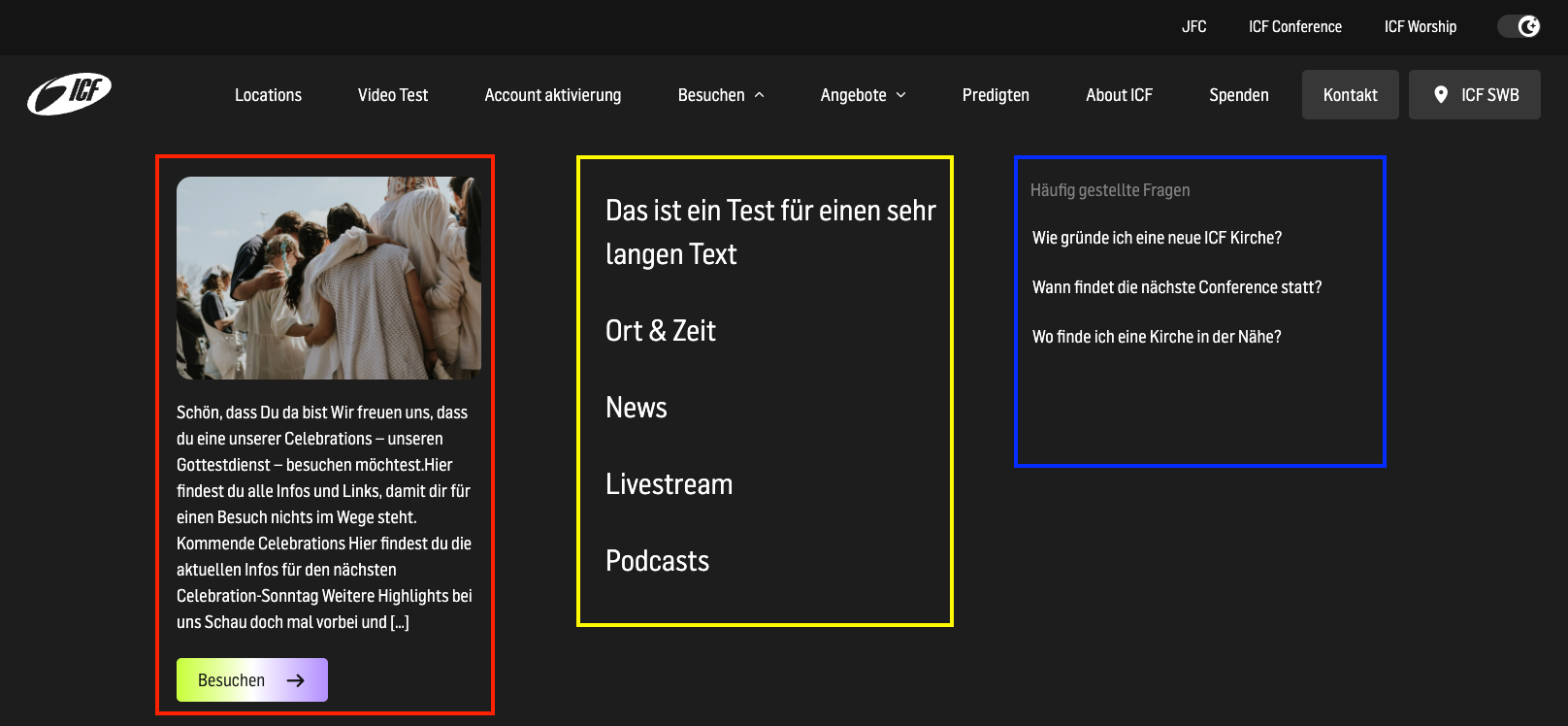
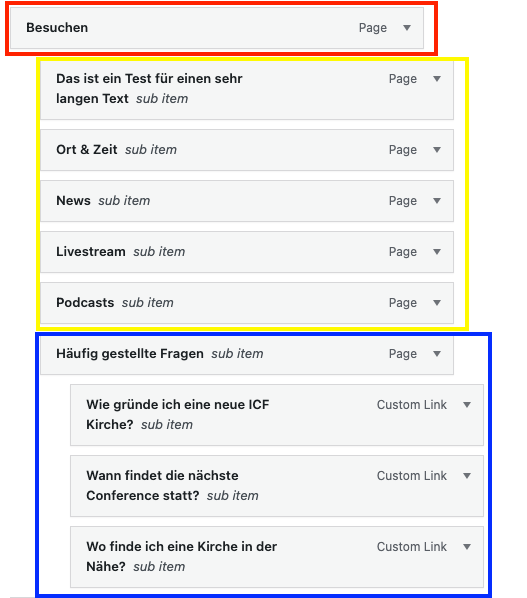
The Sub Menu hast three different parts
This part shows the Image and the text excerpt and the link of the main page. For example, “Visit” or “Sermons”.
The second part ist the main part of the sub menu and shows the sub menu items
This one is an optional feature you can use to help you users to find relevant information even faster. More about it here:
Local Second Menu (FAQ)
sfasdf
The main Link you selected shows up with the Image & Description from that Page with a Button
Other Links you can define. These links must be under the main Link.
Smaller Links that can be used for example for an FAQ area. To create this level, you need to add a third Level Link to a Second level Link. The second lvl Link will be the Headline.

Under every menu item, there is a placeholder for global Movement links.
This allows us, as the Movement Team, to add relevant global pages such as ICF Vision, What We Believe, etc. to the matching main menu, ensuring that there is no duplicate content here either.

You’re welcome to add further elements above them to fit your local needs.