As you know, we use Gravity Forms as the form solution for the website.
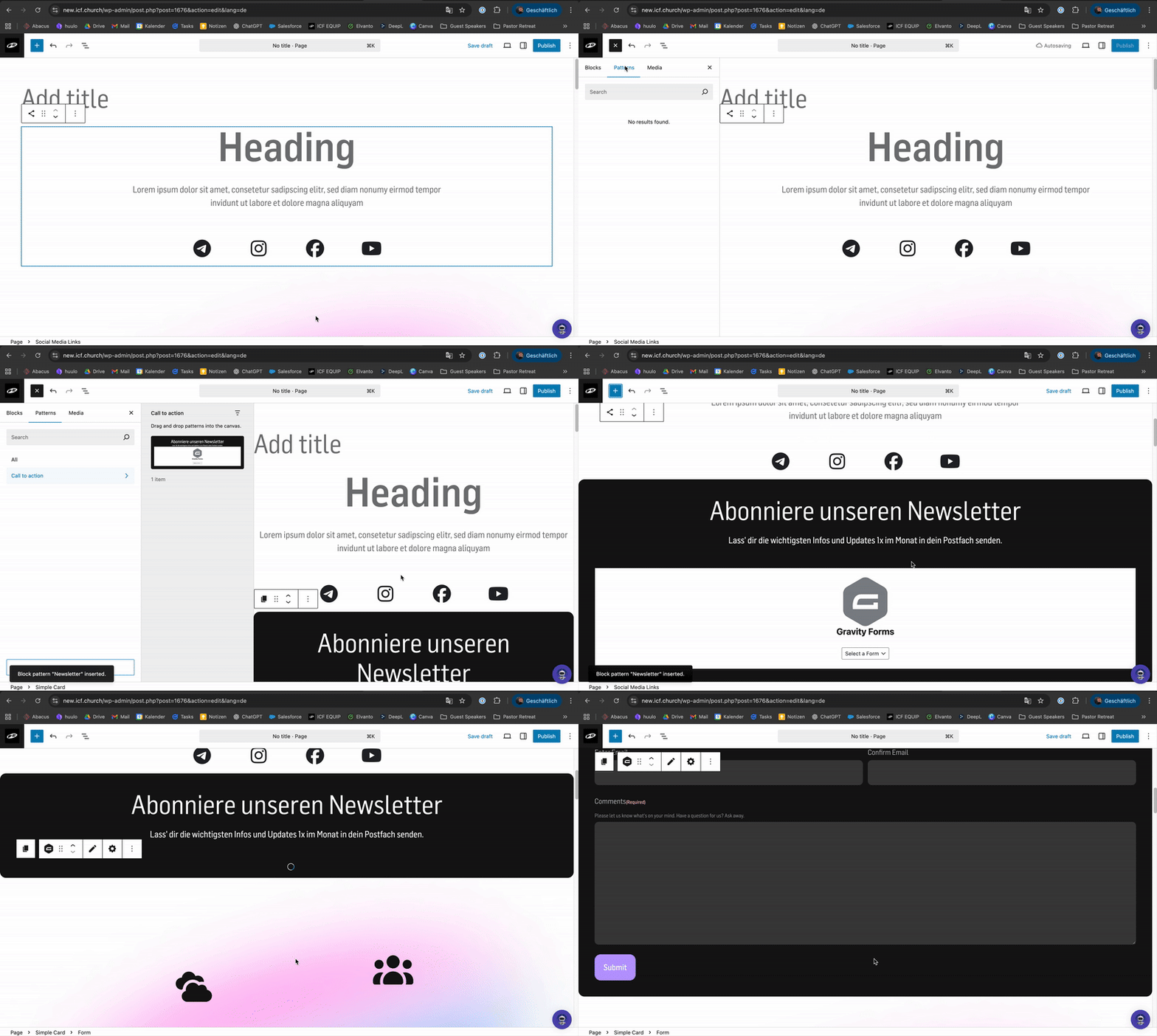
For the “Subscribe to newsletter” use case, we had a special content element created that combines a design with Gravity Forms.
What is Gravity Forms? 📋
Everything you need to know about Gravity Forms

First, you need to create a form with the fields you want to include.
Create a form 🚀
How to Create a Form in WordPress

Click the ‘Block Inserter’ (blue plus) in the top left corner
Switch from ‘Blocks’ → ‘Patterns’ → ‘Call to Action’, it might take a moment until the ‘Newsletter’ block appears
Drag and drop the block where you want it, or simply click to insert it
Select the form you created earlier, and you’re done 
‘Steps are covered in the video below’