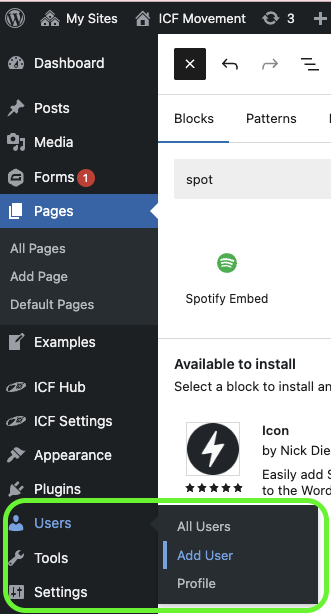
To add a new User to your website, go to User section in the left Main navigation, then click on Add User

The username must be all lowercase and the email has to be an official ICF Email.
Private Emails (like Gmail, etc.) are NOT allowed and will not work.

Here is the explanation why 
ICF-only email addresses for users 👨💻
Why only ICF email addresses are allowed for users

There are different permission roles you can define for a user:
This gives a user full access to your site. Be careful with that and only give it to selected people who knew what they are doing. Normally a website should only have a 1-2 full admins
This should be your default role. These users can edit & create pages and forms
More Information about each role: https://wordpress.org/documentation/article/roles-and-capabilities/

When you enable this checkbox, the user does not get an email where he can enable his account.
You then have to set the password manually, or the user has to use the Reset Password function.