Now you know the different areas of the editor and can get started right away!
But before you dive into the blocks, we want to show you a few settings that will make the editor easier to use. Just try them out until the editor works the way you want it to.

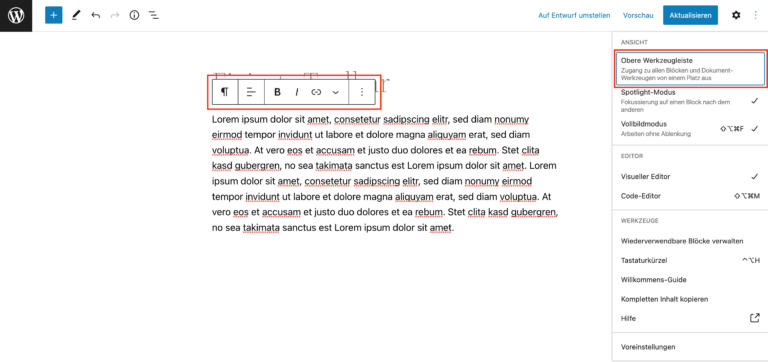
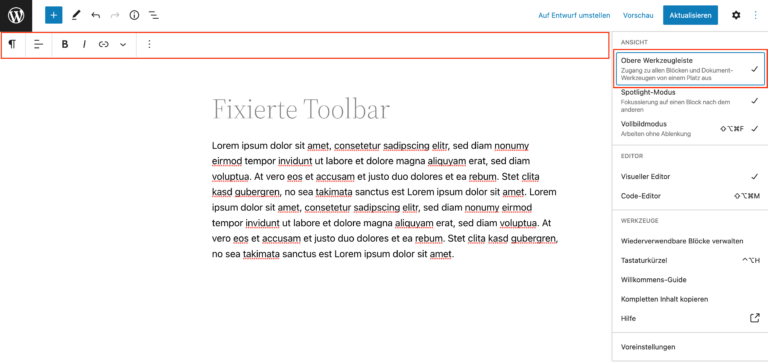
When you edit a block, a toolbar appears above the block by default. On the one hand, this is practical because it clearly shows which block is being edited. On the other hand, however, the toolbar covers part of your block view. In the general settings, you have the option of anchoring the bar permanently to the top of the editor. For illustration purposes, the editor with the toolbar directly above the block.

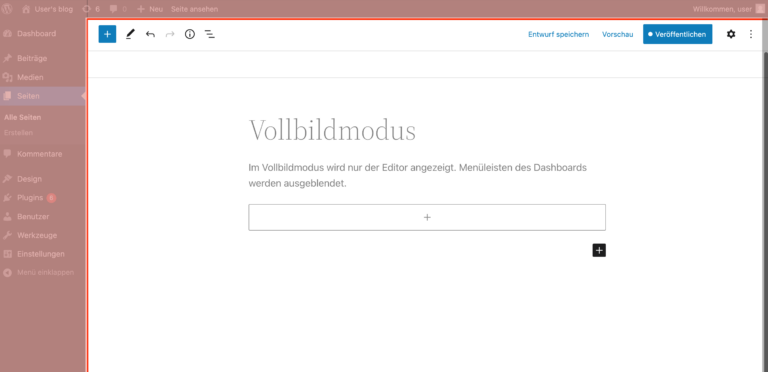
By default, the editor is displayed in full-screen mode. This means that all menu bars on the dashboard are hidden. This view is particularly recommended for concentrated work. If you want to have access to other areas of the dashboard at any time, you can simply deactivate full-screen mode.