The Vision/Values Element is a great way to display our vision and values in a clear and visually engaging way.
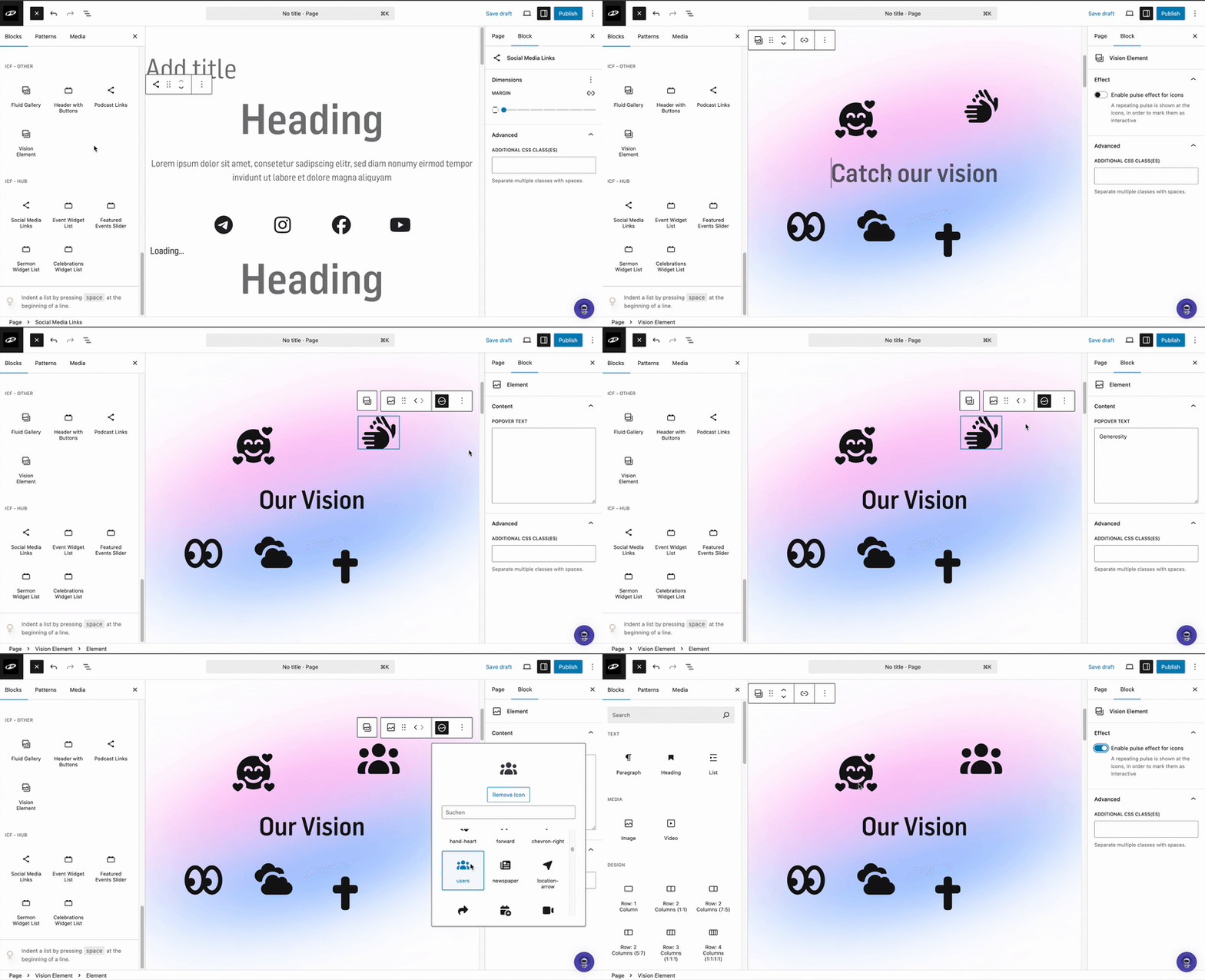

Click on “Block Inserter” (the blue + at the top left). A window will open on the left side.
Scroll down until you see the section titled “ICF - OTHERS”, use the element named “Vision Element”
Drag and drop the element where you want it on your page, or simply click the element to insert it.

You can change the text in the center by clicking on it and typing your own content.
By clicking the different icons, you can edit them, choose the second last item (highlighted in black) to open a selection of available icons.
You can also add a text that appears when someone clicks on an icon.
Finally, you can enable the pulse effect for icons, this adds a subtle animated glow.
‘You can see a demo of this effect in the video below.'