Notifications and confirmations are a great way to let respondents know they’ve successfully submitted a form, provide them with additional information, and also keep you updated on who has filled it out. 
What is Gravity Forms? 📋
Everything you need to know about Gravity Forms
Create a form 🚀
How to Create a Form in WordPress

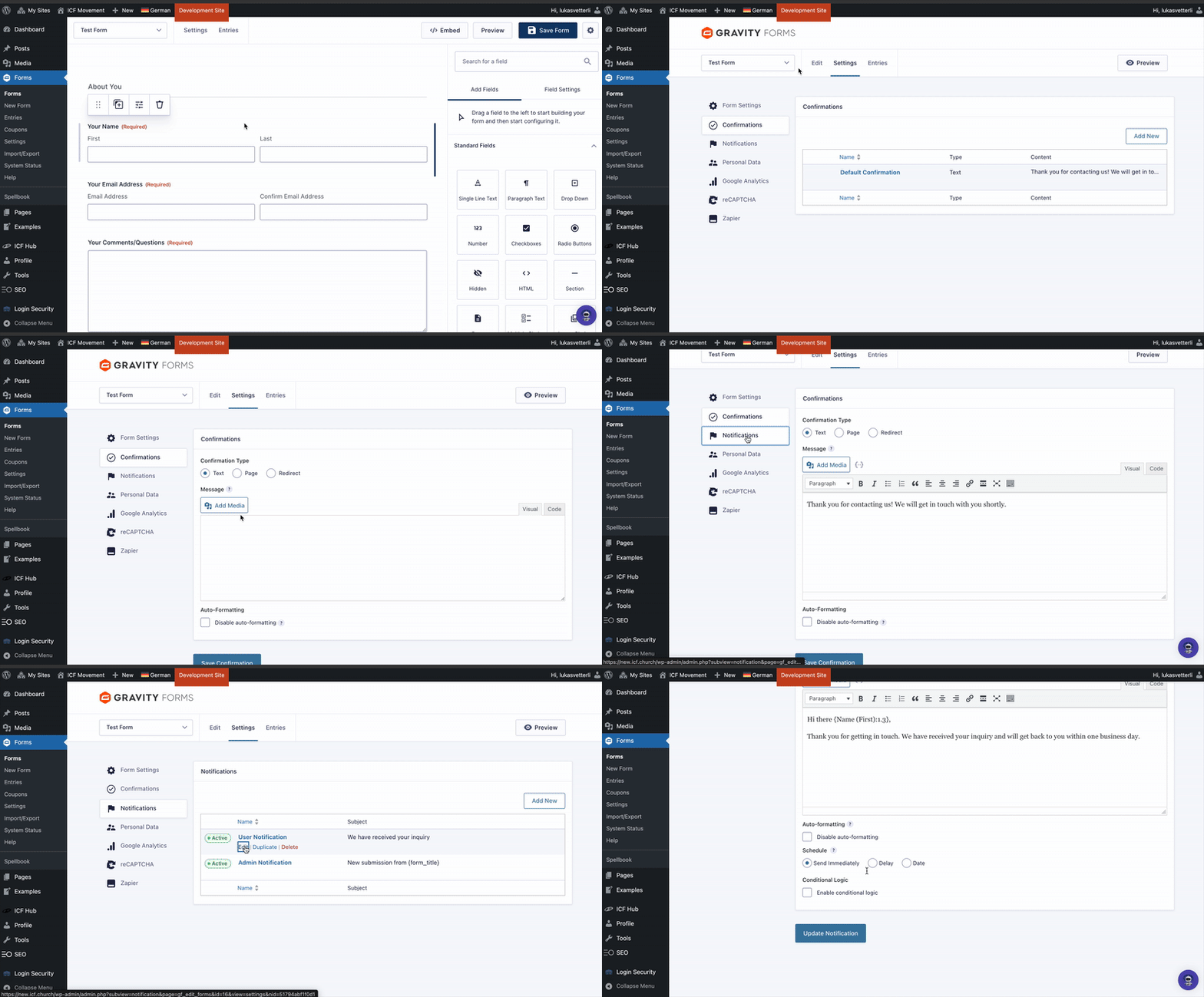
You can easily manage both in your form settings:
Open your existing form (or create a new one) in the backend.
Hover over the “Settings” button in the top bar (slightly to the left).
From there, navigate directly to Confirmations or Notifications.

Set up a confirmation message that appears after respondents submit the form.
You can either:
 Display a custom success text
 Redirect them to another page on your website
 Send them to an external website

Create notifications for both the user and the admin.
Send an automatic email to the respondent confirming their submission.
 Notify the form admin whenever someone fills out the form, including key details about the submission.