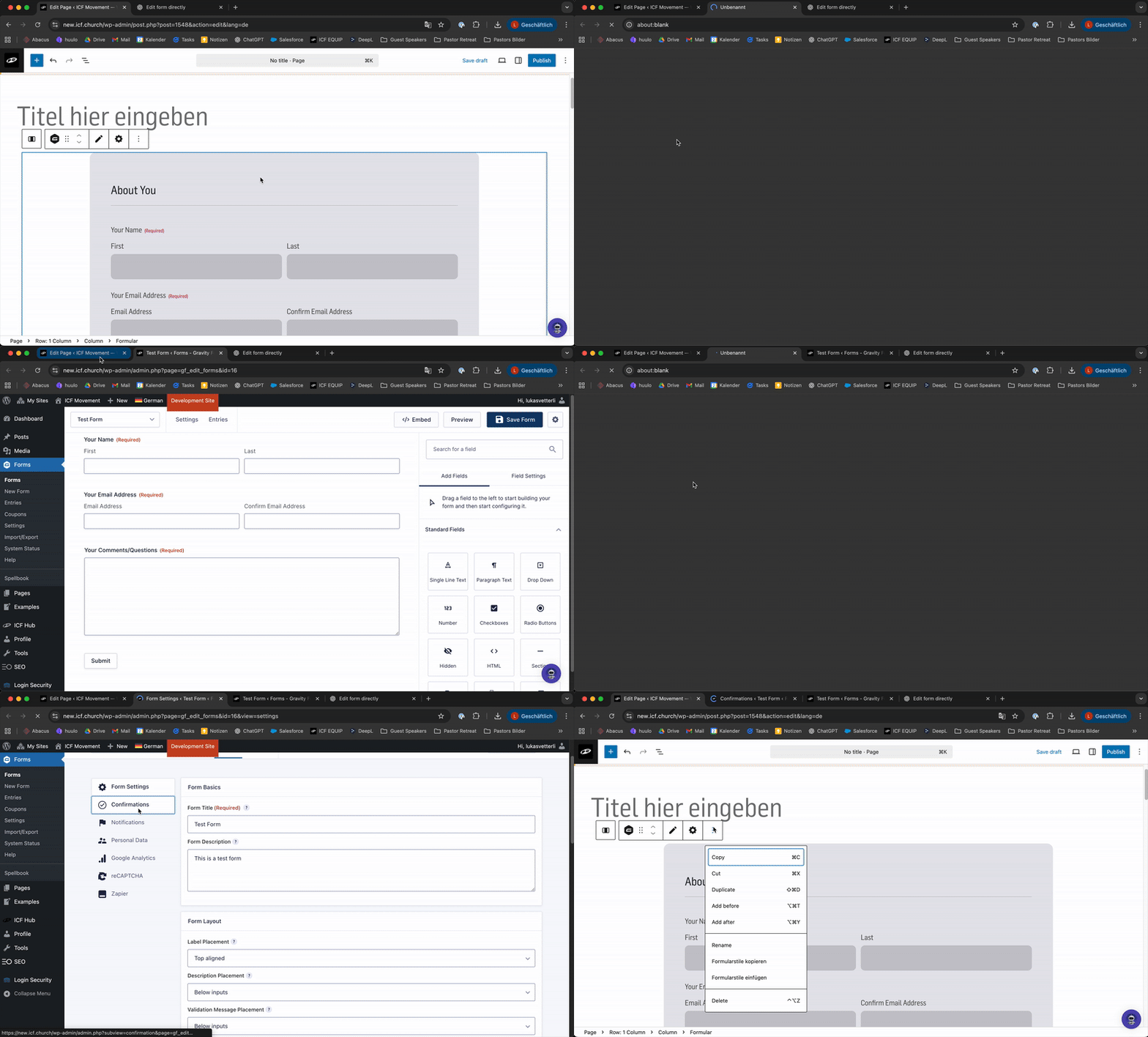
This is how you integrate your form into your site, but first you have to create your form, and it helps to get a brief understanding on what a Gravity Forms is 
What is Gravity Forms? 📋
Everything you need to know about Gravity Forms
Create a form 🚀
How to Create a Form in WordPress

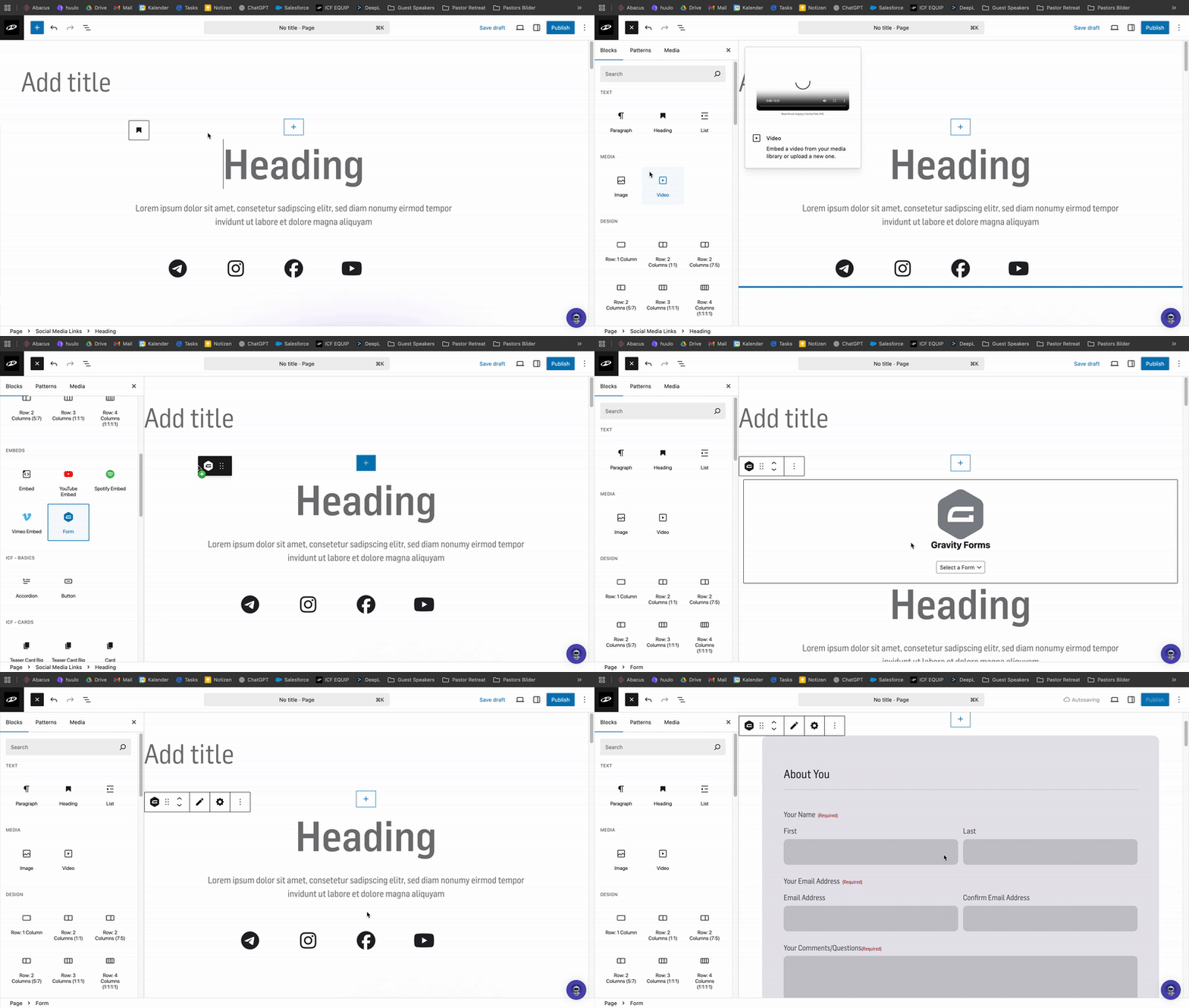
Click on “Block Inserter” (the blue + at the top left). A window will open on the left side.
Scroll down until you see the section titled “Embeds”, use the element named “Form”
Drag and drop the element where you want it on your page – or simply click the element to insert it.
An element will now appear with the Gravity Forms logo in the center and a dropdown below it. From that dropdown, select the form you created earlier.
‘Steps are covered in the video below’
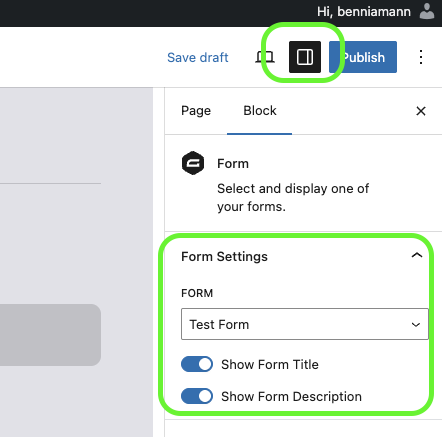
If you click on the implemented form, and activate the side panel, you will see two buttons that will allow you to hide the form title or description
You can choose between two designs. More information in this tutorial
Form Design 👩🎨
Options for designing your forms

To edit your form, simply click on the form element. On the top right, four options will appear:
Move – change the position of your form on the page
Edit Content – directly adjust the content of your form
Settings – update form settings and configuration
Options – copy, duplicate, etc.
‘Steps are covered in the video below’