Redirects make sure that visitors and search engines are automatically sent to the correct page when a URL changes or a page is deleted.
 Without redirects, visitors land on 404 error pages – bad for SEO and user experience.

Create short links
Properly forward old pages
Avoid 404 errors (deleted/moved pages still linked or indexed)
Protect SEO rankings

On the new website, redirects are managed directly in the SEO plugin (SEOPress).
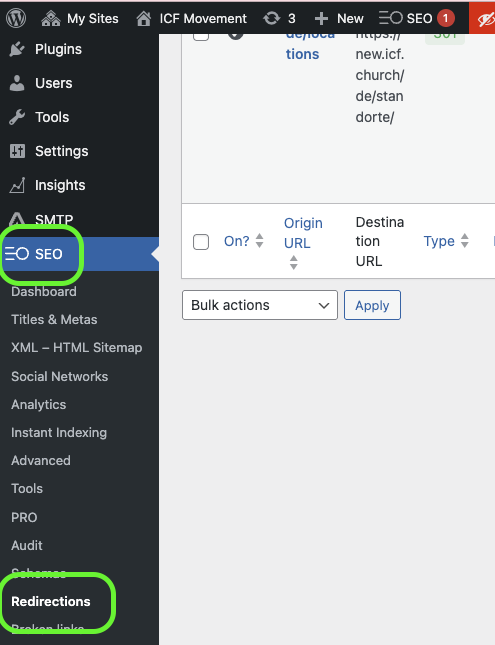
301 – permanent (recommended for SEO)
302 – temporary
307 – temporary (modern version, similar to 302)
410 & 451 are most of the time not relevant

Since version 5.3 of SEOPress PRO, you can now use regex to create complex redirects.
Eg: redirect every URLs starting by “product” like https://example.com/product/my-super-product to another one with this regex: ^/product


In the Redirect Manager, you can also see all 404 errors. The menu is called “Broken Links”
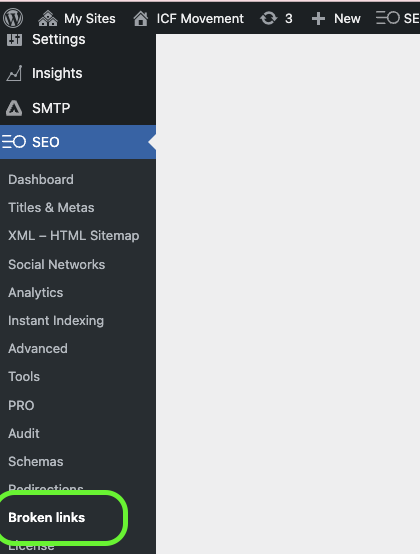
A 404 error occurs when someone tries to access a page that doesn’t exist (anymore). Instead of the content, the visitor sees the message “404 – Page Not Found”.
Review these regularly and add redirects to avoid losing traffic. You get a better Google SEO ranking if you keep your 404 errors low
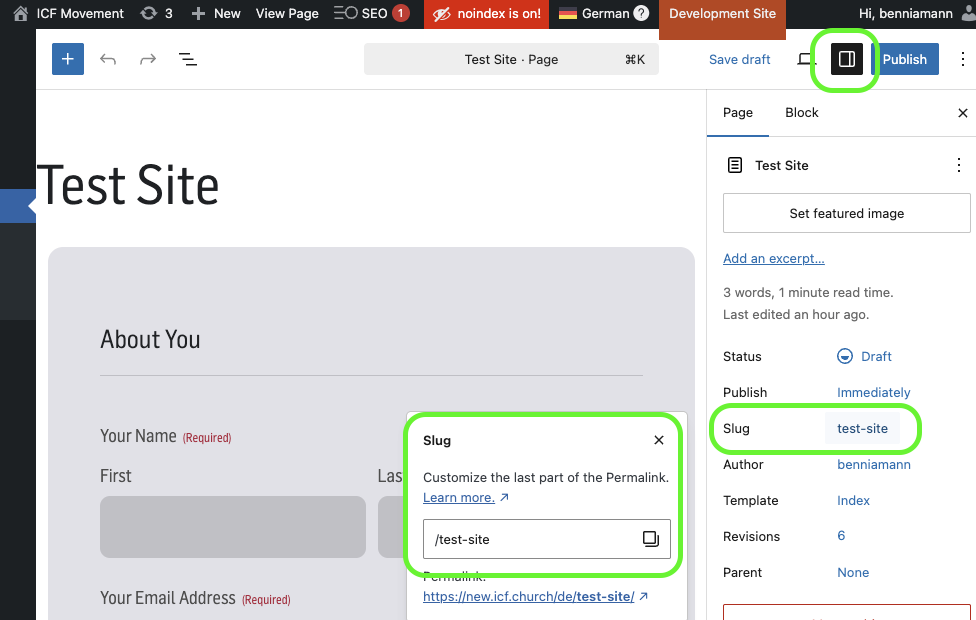
A slug is the last part of a URL (Permalink) (e.g., example.com/my-article). When you change a page title, the slug may also change – so keep an eye on it.
You can change a slug directly in the sidebar of a site. Just click on the sidebar, then on the “Slug” and now you can edit the link in the field.
short & concise
only relevant keywords
no special characters or filler words
use hyphens to separate words