Padding (inner spacing) and margins (outer spacing) help your content “breathe.” Here we explain how to use it 

When you work with sections, many spacings are already set for you. However, sometimes it’s helpful to adjust them manually — for example, if you want to center something or fine-tune the layout.
Small spacing changes can make a big difference in how balanced and professional your page looks.

Before you start changing padding or margins, make sure you’ve selected the right element. Decide whether you want to edit the entire section or just a single column. This helps you avoid unwanted changes and keeps your layout consistent.
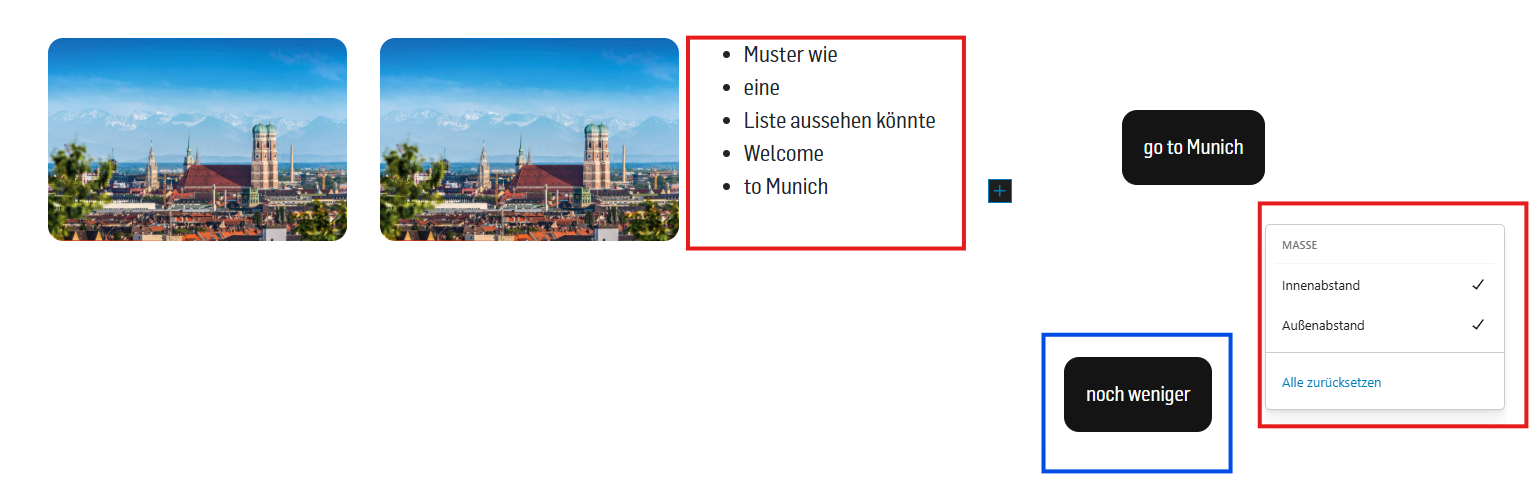
The blue border indicates which module is currently selected - in the first example the entire section with 4 columns is selected and in the second example only the column with the "button"

On the right side, open the “Styles” panel and change the spacing at the top and bottom. This lets you control how much space your section or column has above and below it.
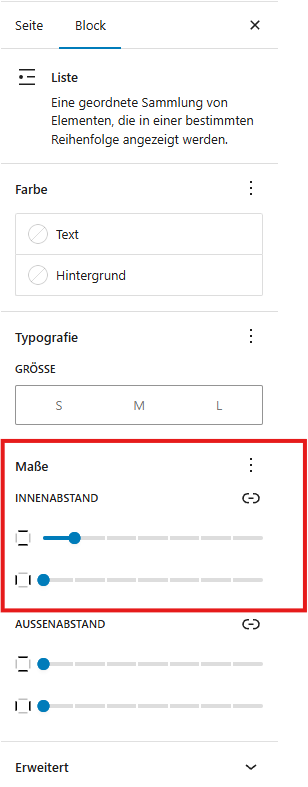
To align the list to the image, open the "Dimensions" on the right, then select "Inner Padding" and set the desired spacing.


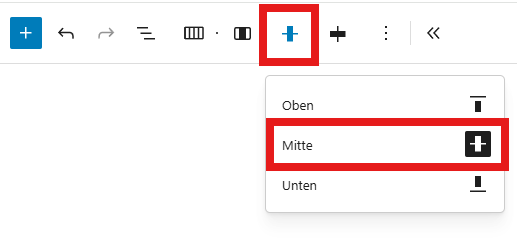
To center the button, open the toolbar and select the desired position.