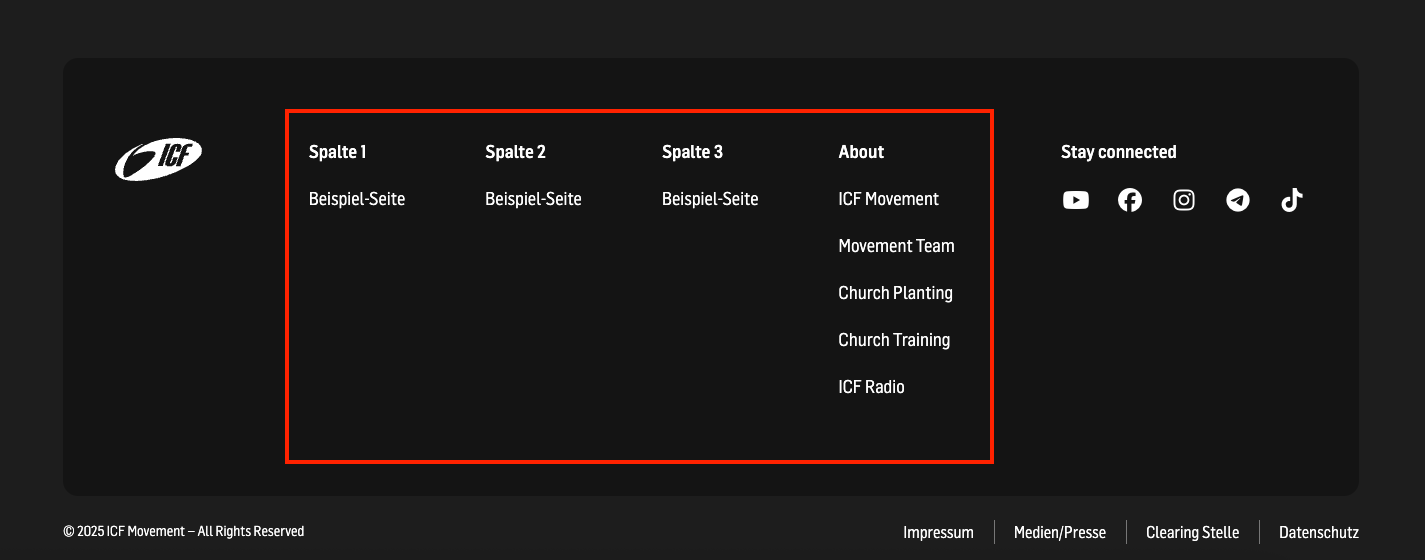
In addition to the global footer at the bottom of the page, we have also developed a local element.
This gives you the flexibility to display further links on different pages.

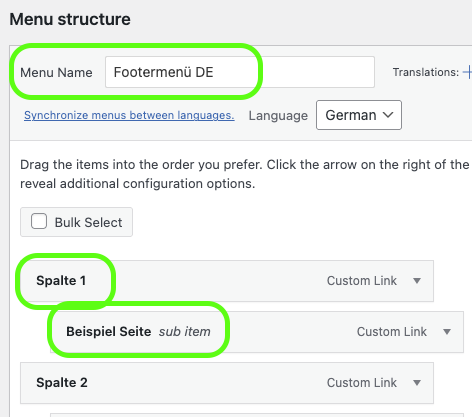
Just like the Local Header Menu, you can configure your Footer Menu under Appearance → Menus. Select Footer Menu from the dropdown to start editing.
Local Header Main Menu 👋
Requirements & best practices for the main navigtaion

The Footer Menu supports 2 levels of links:
First level: acts as the headline of the column/row.

Second level: the actual links displayed under the headline.

The social media icons and text are automatically added to the local footer by the system.
The content comes centrally from the ICF Hub.
The ICF Hub 💻
How the ICF Hub is connected to the website

There must always be an About column. This column includes global links managed by the Movement.
These global links must remain in the menu and cannot be deleted.
You are free to add additional local links above the global links in the same column.
Third-level links are not supported.
First-level links without a second-level link will not be generated.
Do not add more than 4 first-level items – the design does not support more.
The About column ensures that all ICF websites share the same essential global links.  This keeps our footer consistent across the Movement and guarantees that key information is always accessible – while still giving each site the freedom to add local links above.